Generate NetSuite Charts in Minutes

NetSuite for Administrators

Everyone wants better ways to process and consume the data in NetSuite. Dashboards, saved searches, and reports are some of our favorite ways to do that. But NetSuite’s native tools require a certain level of familiarity with NetSuite terminology and fluency with the user interface. And quite frankly, if you’re a busy executive who doesn’t spend your days in the system, then viewing the data the way you want to can be difficult.
That’s why SuiteRep developed AI Insights. AI Insights brings the power of generative AI and the wealth of NetSuite data together, allowing you to generate meaningful NetSuite charts and reports in a matter of minutes. And the best part? You don’t have to break out your NetSuite dictionary or round up your IT team, because AI Insights understands everyday business English.

With AI Insights, you can access, visualize, organize, and share your NetSuite data in order to make fast, better informed business decisions. Let’s take a look!
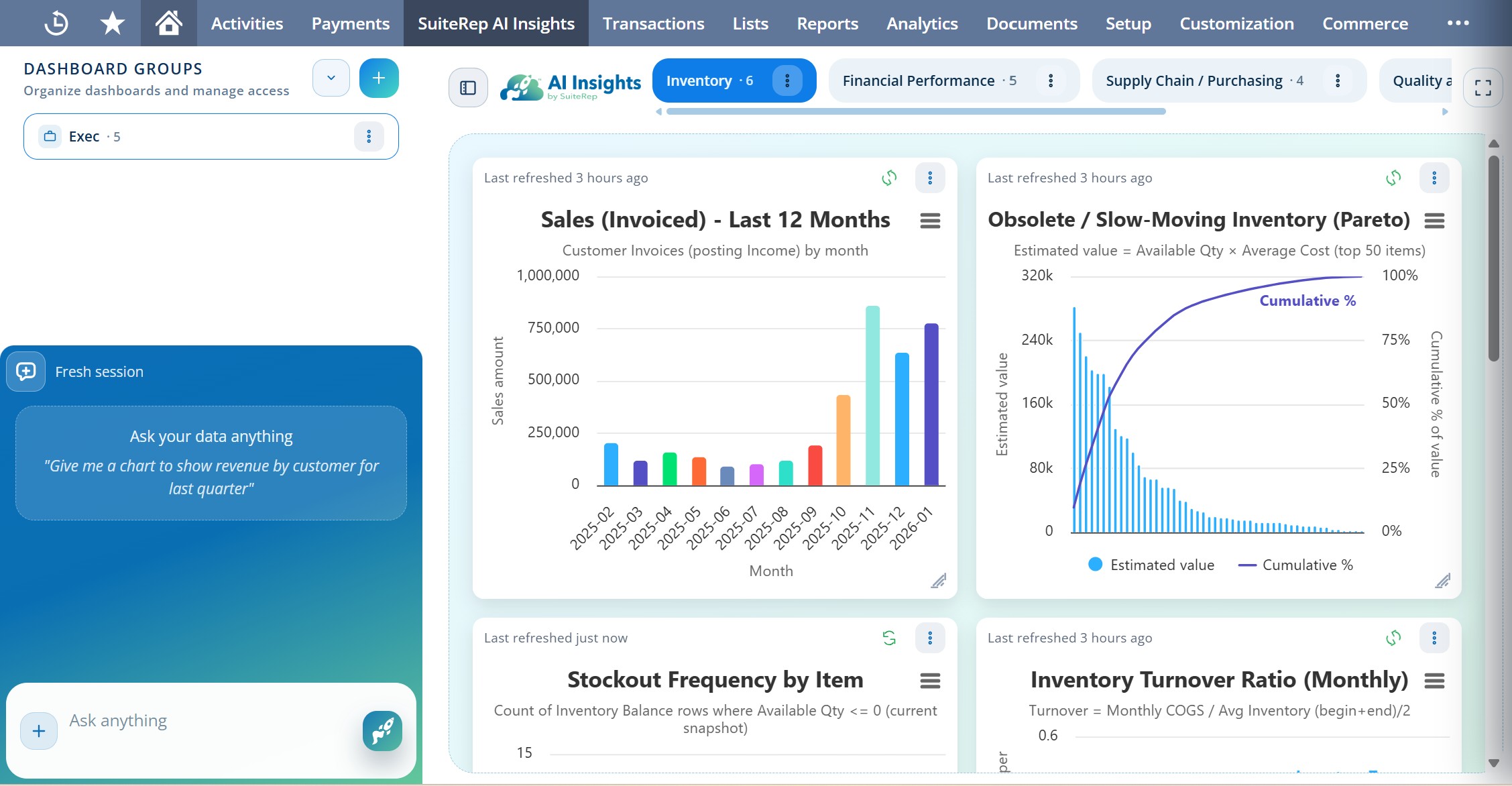
SuiteRep AI Insights for NetSuite Dashboard

Access Your Data

First, AI Insights allows you to easily access any data in your NetSuite account. That includes things everything from custom fields to records to transactions. If NetSuite collects the data, AI Insights can access it. Accessing data through other methods such as reports or saved searches requires you to use precise NetSuite terminology, but the AI Insights chatbot understands plain business English, so you can leave your NetSuite terms decoder at home.

A common critique of using AI alongside NetSuite is the lack of data security, but AI Insights addresses this concern in three key ways. First, it keeps all your NetSuite data located in NetSuite. AI Insights allows you to access the full power of conversational and analytical AI without compromising your data by routing it out of NetSuite. Second, it limits access to data based on the user’s role. The chatbot can access anything your role can access in NetSuite and nothing more. And finally, while AI Insights allows you to analyze and interact with the data, it does not permit you to actually manipulate and change the data. It is purely an advanced tool for deep business analysis.

Visualize Your Data

While AI Insights allows you to interact with your data via the chatbot, its true value comes in the many data-rich visuals you can create. To generate a chart or table, simply ask the chatbot to return a visual depicting the exact data you want to understand. AI Insights can run advanced SuiteQL queries, so you don’t even have to worry about what kinds of connections need to be made across records and transactions in NetSuite to return the data. Because there is no technical barrier to creating these data-rich charts, they’re perfect for executives and decision makers who may not work in NetSuite on a daily basis but often need quick access to live, meaningful data.

Organize Your Data

AI Insights doesn’t just create attractive visuals. It also provides you with a space to organize those visuals into dashboards and dashboard groups. From the chatbot, simply drag a chart over to your dashboard. You can resize the visual and reorganize it alongside the other visuals in the dashboard. In addition, you can share access to specific dashboards and dashboard groups with other users, allowing you to work alongside key decision makers with the same live data.
In addition to a dedicated space for your AI Insights dashboards and dashboard groups, there is also an AI Insights portlet that can be added to your NetSuite home screen, allowing you to view your insights alongside other key dashboard portlets.

Conclusion

AI Insights empowers you with live, visually rich data analysis and equips you to make better, faster business decisions. We can’t wait to connect you with this tool. Reach out to schedule your free demo with SuiteRep.

Get New Articles Directly in Your Inbox

Are you new here? We typically post one blog a week, which we will deliver to your inbox when you subscribe to the SuiteRep newsletter.